


The Way: Meditation Path
5.070.00 Reviews
App Specs
- Version
- 1.18.4
- Updated On
- License
- Free
- Downloads
- 10,000+
- Developer
- The Way App, Inc.
- Categories
- Lifestyle
- Platform
- Android
Screenshots
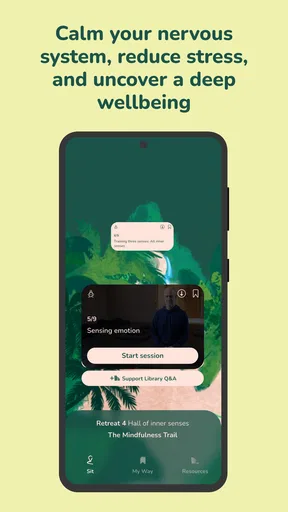
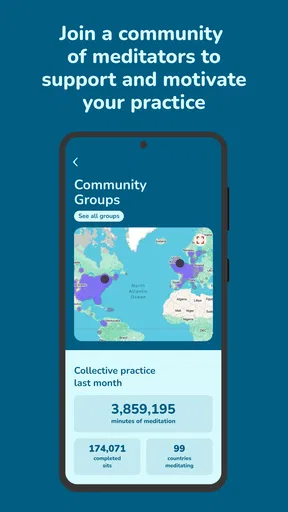

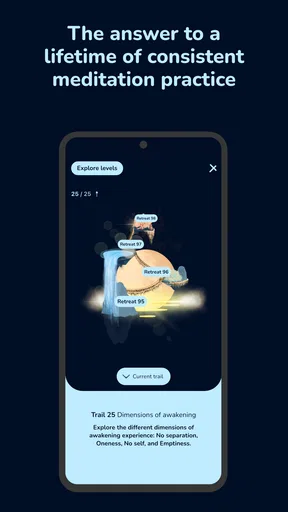
 Analysis by AppCompare
I approach meditation apps with a practical kind of caution: calming visuals and a friendly voice can make a session inviting, but they do not tell me how an app handles personal information or what choices I’ll have once I start. With The Way: Meditation Path, I’d treat the first visit as a chance to see whether the practice suits me, while paying attention to any requests or account prompts the app actually presents. A relaxed experience matters, but so does feeling comfortable with the choices in front of me.
Trust starts with what you can see
The Way is a free lifestyle app from The Way App, Inc., and it has a five-star average from 826 ratings, with 10K+ installs. Those figures suggest that people have taken an interest in it, but they are not a substitute for my own judgement about privacy, usability, or the quality of a particular session. I would not treat a high rating as proof of a specific data practice; I’d make that decision based on the app’s visible prompts and the choices it gives me.
That distinction is especially useful for a meditation tool. A session may feel personal even when it is simply a guided pause, and a progress record can make the experience feel more individual. I’d look at what the app asks me to provide before sharing details, and whether I can still explore the practice without volunteering anything I would rather keep private. The most reassuring experience is one where the reason for a request is clear and I can decide for myself.
Take a moment with prompts and settings
I’d use the same care I bring to any wellness app: read permission prompts before accepting them, and consider whether the requested access makes sense for the task I’m doing. A meditation session does not automatically need every kind of access a phone can offer. If a prompt appears, I’d pause and decide based on its wording rather than tapping through just to reach the next screen.
Account choices deserve the same attention. If the app offers a sign-in or profile option, I’d check what is optional and what is needed for the particular feature I want. I would also look for available privacy or account controls in the app and in my device settings, rather than assuming that a setting exists or that turning off one permission changes every other data practice. That small check helps me use the sessions on my terms.
Notice the personal moments
Meditation can involve sensitive feelings, so I prefer to share only what is necessary for the experience I want. If a setup question asks about goals or mood, I’d answer at a level I’m comfortable with, not as if I were completing a clinical assessment. The app’s role here is guided meditation, not a replacement for professional mental-health care, and I would keep that boundary clear when deciding what to disclose.
Progress tracking can be encouraging, but it is also personal. I’d think about whether seeing a streak or milestone helps me build a gentle routine or makes me feel pressured to keep up. If tracking is optional, choosing how much to engage with it can make the practice feel more sustainable. If I find myself meditating mainly to protect a badge or number, I’d step back and focus on whether the session itself is useful.
Worth Reading Before You Choose

EA SPORTS FC Mobile 26 Is a Bigger Football Game, but It Takes Time

Flipboard Shows What News Apps Must Do Beyond the Feed

Switching to Android Auto Means Rethinking Your Driving Routine

Google Calendar Makes a Crowded Week Easier to Manage

Ludo King Makes the Most of the Minutes Between Plans

Baby Panda World Brings Quick Play to Modern Phones, but Its Game Library Feels Busy
Finding Your Inner Peace
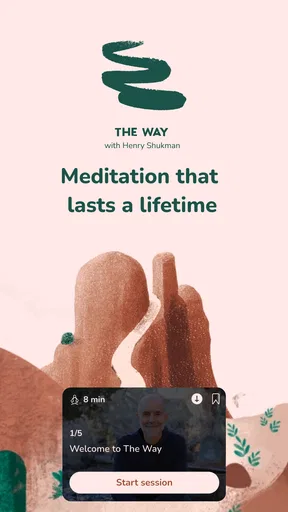
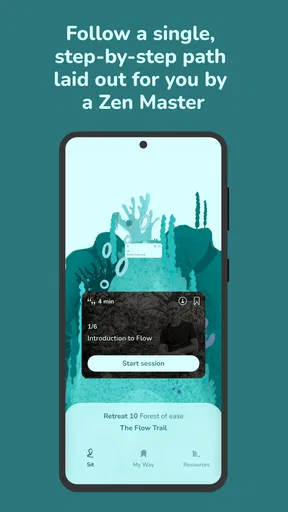
When I first opened The Way: Meditation Path, I was greeted by a simple, soothing interface. It’s like the app knows you’re already stressed and doesn’t want to add to it. Navigating through the menus is a breeze, with everything clearly laid out. Whether you’re a meditation newbie or a seasoned pro, this app has something for everyone.
Guided Meditations Galore
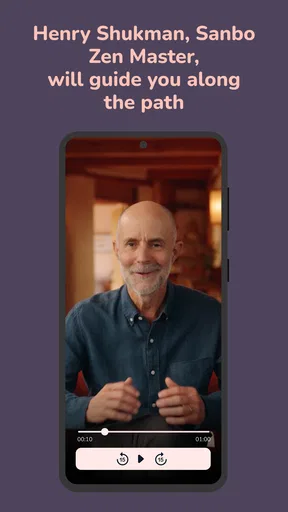
Let’s talk about the guided meditations. There’s a rich library of sessions ranging from five-minute quick stress-busters to longer, deeper dives for those days when you need more than just a mental band-aid. I tried a few different ones, and I must say, the variety kept me coming back. The soothing voice of the guide is like a gentle nudge towards tranquility.
Customization is Key
One of my favorite features is the customization options. You can tailor your meditation sessions to fit your schedule and mood. Want to focus on relaxation today? Or maybe you’re in need of a confidence boost? Just a few taps and you’re set. It’s all about what you need, when you need it.
Track Your Progress
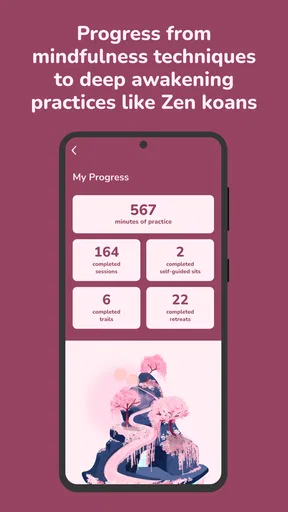
If you’re the type who likes to see progress, the app has a neat feature that tracks your meditation journey. It shows how many days you’ve meditated, the total hours, and even awards little badges for milestones. It’s a surprisingly effective motivator to keep coming back.
A small but useful way to get more from these choices is to decide on a purpose before opening the library. After a tense commute, I might want a short reset; before bed, I’d choose something intended to help me slow down. Picking the need first makes it easier to assess whether the session actually fits, rather than browsing until I lose the quiet moment I meant to create.
Sounds and Music
Let’s not forget about the soundscapes. These are perfect for setting the right mood, whether it’s the sound of ocean waves, a gentle breeze, or a bustling forest. Personally, I found the ambient music quite relaxing, perfect for drowning out the noise of the outside world.
Where it fits into an ordinary day
Picture a familiar workday: I close my laptop after a string of demanding calls, but my mind keeps replaying them. Rather than trying to force a long practice into the evening, I can choose a brief guided session, sit somewhere I will not be interrupted, and give myself a clear transition from work to home. The point is not to erase the day or promise instant calm; it is to make a small, repeatable pause easier to begin.
Soundscapes can serve a different purpose from guided meditation. I’d try a guided session when I want a voice to help keep my attention from wandering, then use ambient audio when I want a quieter background while settling down. If background sound makes it harder to focus, I’d skip it instead of treating it as an essential part of the routine. The useful choice is the one that supports the moment, not the one that adds another thing to manage.
Who will get the most from it
I think this app is a good fit for someone who wants a guided entry into meditation and appreciates having session choices for different moods. The clear layout is helpful when I have little patience for learning a complicated system, and the combination of guided practice, customization, progress tracking, and soundscapes gives me several ways to shape a routine. It may also suit people who like a visible nudge to return, provided they treat milestones as encouragement rather than a measure of personal success.
On the other hand, I would steer away from it if I wanted a completely unstructured, silent practice or expected meditation to solve persistent anxiety on its own. Someone who prefers a timer and no spoken guidance may find a basic meditation timer more direct. If I were looking for clinical support, I would turn to a qualified professional rather than relying on a lifestyle app. Those are not flaws in the app; they are differences in what a person needs.
Compared with timers and broader wellness apps
The usual alternatives tend to fall into two camps: simple timers that leave the practice entirely up to me, and broader wellness apps that bundle meditation with other kinds of self-care. The Way’s appeal, from my experience, is its guided, mood-oriented approach rather than a bare countdown. That makes it easier to begin when I’m unsure what to do, while a timer can be better once I already know the method I want to follow.
The trade-off is that a guided library asks me to choose a session and accept someone else’s pacing and voice. If I become comfortable meditating without instruction, I may prefer the flexibility of a timer. If I want one place for many unrelated wellness tools, a broader app may be more convenient. I’d choose The Way when the immediate goal is a guided pause, not because one format is universally better.
Making the routine easier to keep
A practical approach is to keep the first few sessions low-pressure. I’d try different lengths and themes on separate days, then notice which combination feels natural at a particular time. For example, a confidence-focused session might make sense before a challenging conversation, while a relaxation choice may fit better after work. This is more useful than assuming one favorite session has to work for every mood.
I’d also avoid turning the app’s progress features into a rigid obligation. If I miss a day, the helpful question is whether another time or shorter session would make the habit easier, not whether I have failed a streak. That matters because consistency is built from a routine I can return to, not from pressure that makes meditation feel like another task on a crowded list.
Practical details before you begin
The app is free to download, though it includes in-app purchases priced from $12.99 to $699.99 per item. I’d check the purchase screen carefully before confirming anything and distinguish between trying the app and choosing a paid option. The listed age rating is Everyone, and the current version is 1.17.11; it requires Android 9 or later. Those details make it easier to check basic compatibility and decide whether the app suits the person who will use the device.
A likely question is whether I need to be experienced to get started. I don’t think so: the guided format is approachable for a beginner, while someone with an established practice can still use a selected session when they want structure. Another practical question is whether a short session can fit into a busy day. The quick options make that possible, though I’d still choose a quiet-enough spot and treat the time as a pause rather than expecting the app to remove every distraction around me.
If I’m unsure about sharing information, I’d inspect the prompts and controls as they appear, answer optional questions sparingly, and use device settings where appropriate. I would not assume that a meditation app needs personal details simply because it asks about goals, nor assume that declining a permission prevents every feature from working. The sensible approach is to read each choice, decide whether it is relevant to the use I want, and proceed only when I’m comfortable.
Final Thoughts
All in all, The Way: Meditation Path is a solid choice for anyone looking to bring a little more peace into their lives. The app is easy to use, packed with features, and genuinely helps in reducing stress and anxiety. If you’ve been on the fence about trying meditation, this app might be the gentle push you need.
So, if you’re ready to start your journey to inner peace, why not give it a try? You might just find that it’s the perfect way to unwind after a long day. Happy meditating!
Pros
- User-friendly interface for beginners.
- Wide variety of meditation sessions.
- In-depth progress tracking features.
- Soothing audio and visuals enhance relaxation.
- Customizable session lengths.
Cons
- Limited offline content availability.
- Some features require premium subscription.
- Occasional app performance lags.
- Lacks community interaction features.
- Notifications can be intrusive.
FAQs for The Way: Meditation Path
What is the primary purpose of The Way: Meditation Path app?
The Way: Meditation Path is designed to guide users through meditation practices and mindfulness exercises. It aims to help individuals reduce stress, improve focus, and enhance overall well-being through a variety of guided sessions tailored to different experience levels and needs.
Is The Way: Meditation Path suitable for beginners?
Yes, The Way: Meditation Path is ideal for beginners. The app offers introductory sessions that teach the basics of meditation and mindfulness. Users can start with short, guided meditations and gradually progress to more advanced practices as they become more comfortable with the techniques.
Does The Way: Meditation Path offer customizable meditation options?
Absolutely, the app provides customizable options to suit individual preferences. Users can select different meditation lengths, focus areas, and background sounds. This flexibility allows users to tailor their meditation experience to fit their schedules and specific relaxation or focus goals.
Are there any additional costs associated with The Way: Meditation Path?
While The Way: Meditation Path offers a range of free content, some advanced features and premium meditation sessions may require a subscription. Users can choose between monthly or annual plans to access the full suite of content and features, ensuring a comprehensive meditation experience.
How often should I use The Way: Meditation Path to see results?
Consistency is key when using The Way: Meditation Path. Daily practice, even if it's just a few minutes, can lead to noticeable improvements in stress reduction and focus. The app encourages regular use by offering daily reminders and streak tracking to motivate users to maintain their meditation habits.


